Edelweiss Installation
System requirements
Edelweiss runs on 32 or 64-bit Windows 10 or higher.
License
Use the trial license option to try out Edelweiss for 30 days.
After the trial period, Edelweiss is still offered for free until May 31st 2026! Reach out to rhd instruments to extend your license.
Installation and product registration
Follow these steps to install Edelweiss:
- Download the latest version of the installer.
- Extract the files of the archive.
- Run the installer and follow the instructions in the wizard.
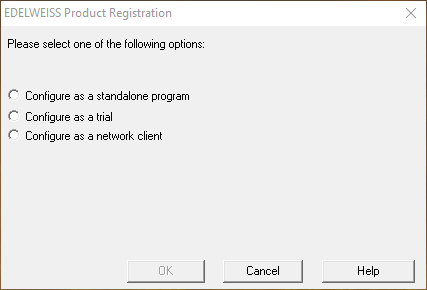
- On the first run, you will be prompted to register the product:
Unless you have purchased a license, select "Configure as a trial" to try out Edelweiss for 30 days.
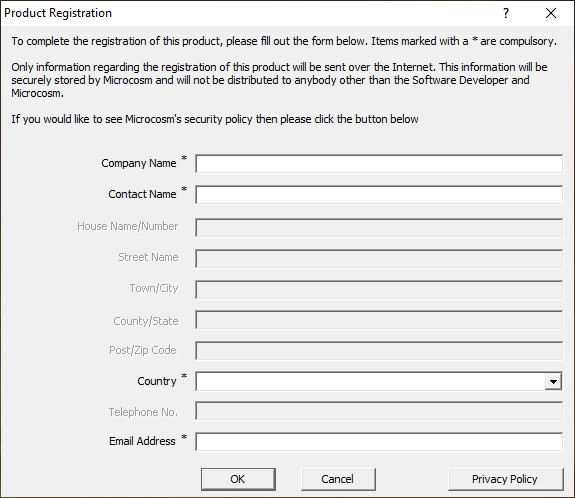
- Fill in your information in the form:
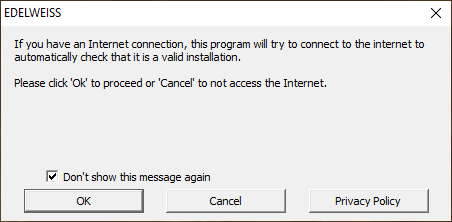
- The software is now ready to use. You can disable future license popup messages by ticking the checkbox:
Getting started
After installation, check out these resources to get started with Edelweiss:
- Quick-start Guide
- Help pages
They are accessible from the "Help" menu, as well as from the welcome page shown when Edelweiss starts up.